Deleting an element
Last updated: April 28, 2026
You can delete one or multiple elements with a click of a button, or with your keyboard.
To delete an element with the delete button
Select the element on the workspace or in the Layer Panel.
Hit the delete button on the left bottom corner of the tool panel.
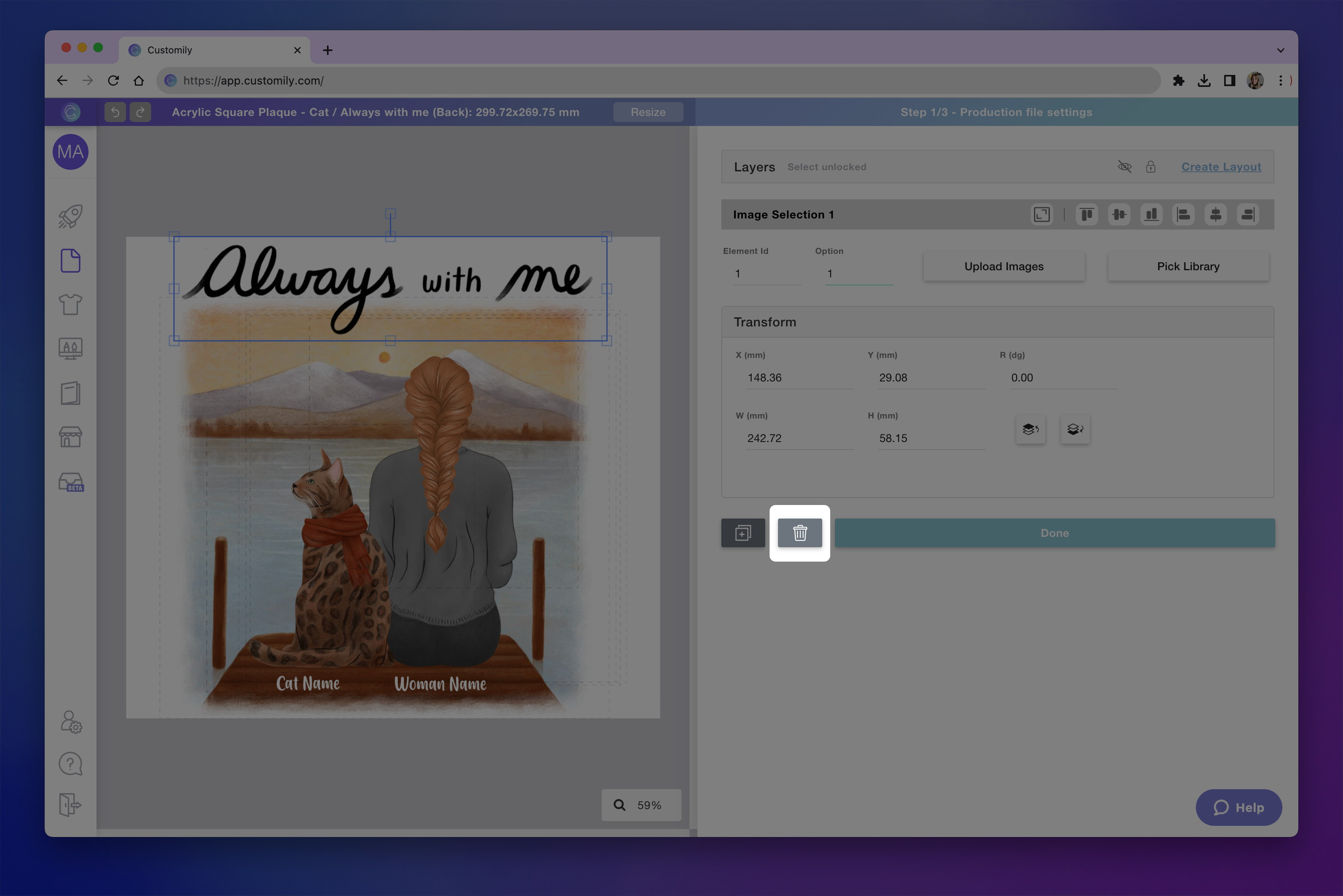
To delete an element with the keyboard
Select the element on the workspace or in the Layer Panel.
Press delete on your keyboard on Windows / Cmd + delete on your Mac.
Tip
If you accidentally delete an element, you can recover it using the undo button, or pressing Ctrl/Cmd + Z
To delete multiple elements
Select multiple elements on the workspace or in the Layer Panel using shift.
Hit the delete button, or press delete on your keyboard on Windows / Cmd + delete on your Mac.