How to bulk download your production files
Last updated: April 28, 2026
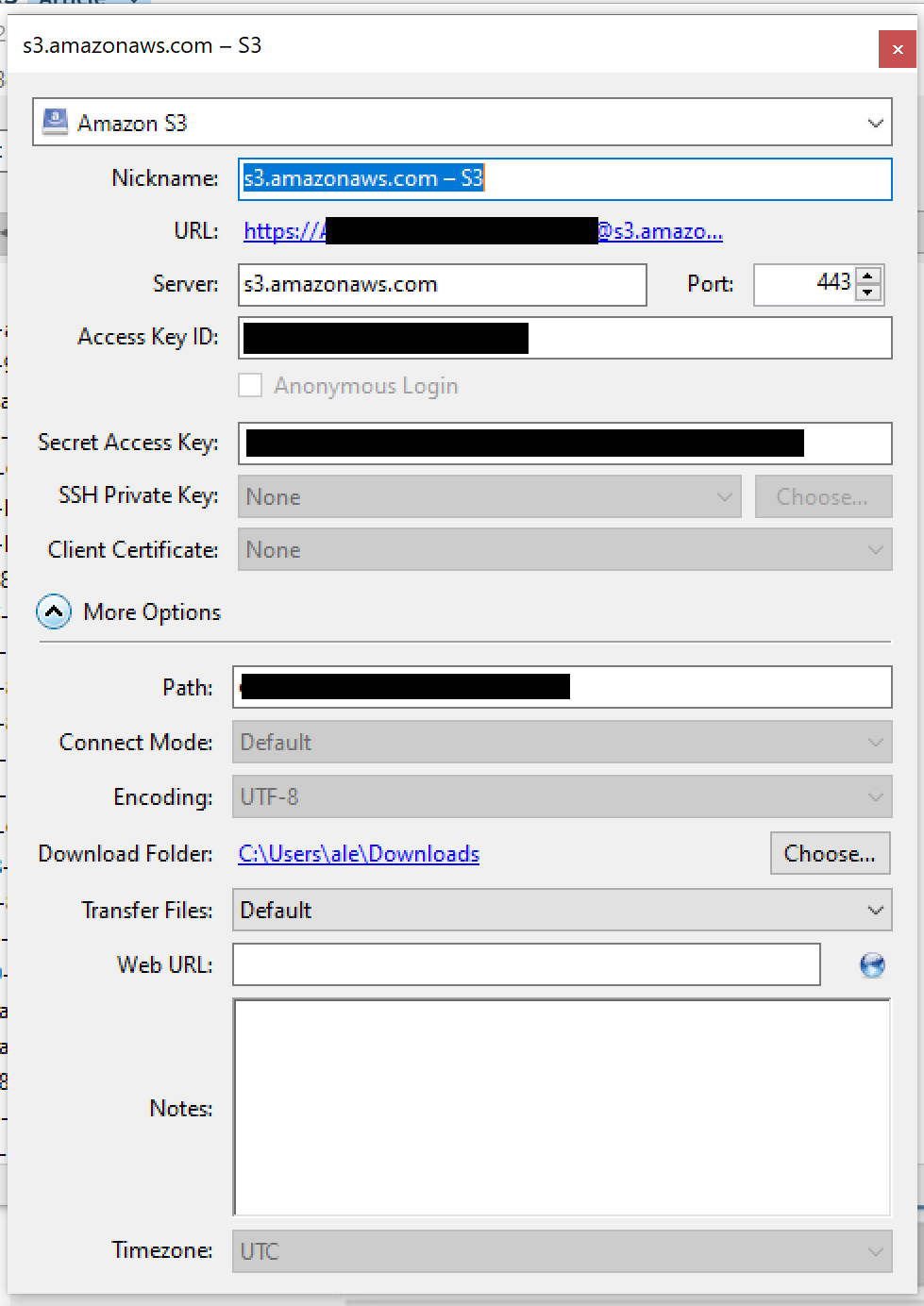
Connection Settings
Make sure to select "Amazon S3" as the connection type.
Contact our support team so they can provide you with your "Access Key ID", "Secret Access Key" and "Path" settings for your account.
Contact our support team so they can provide you with your "Access Key ID", "Secret Access Key" and "Path" settings for your account.
- Close the window (everything will be saved, there's no save button)
- Now go to your Bookmarks view, right-click your bookmark and select "Connect to server":
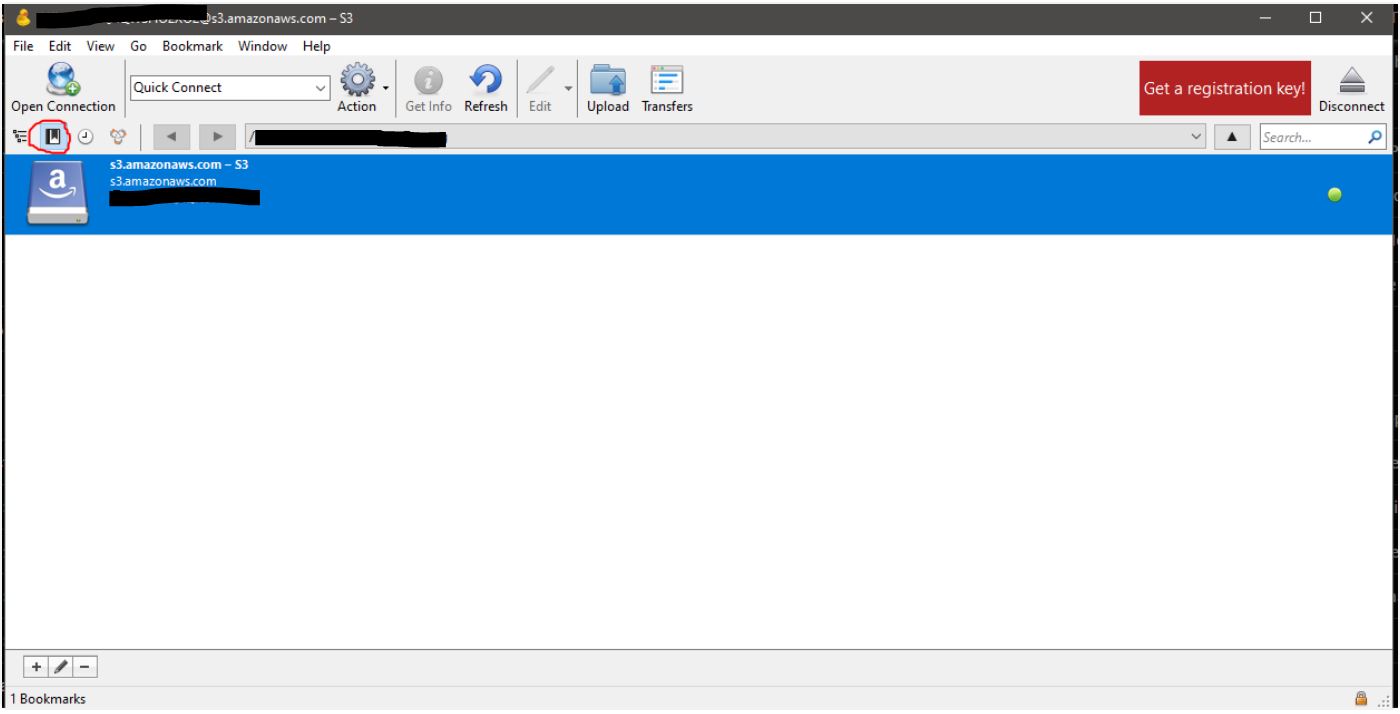
Once you are connercted, you'll see a list of all your production files to download.
Please be patient, if you have a lot of production files, it will take a couple of minutes to load them
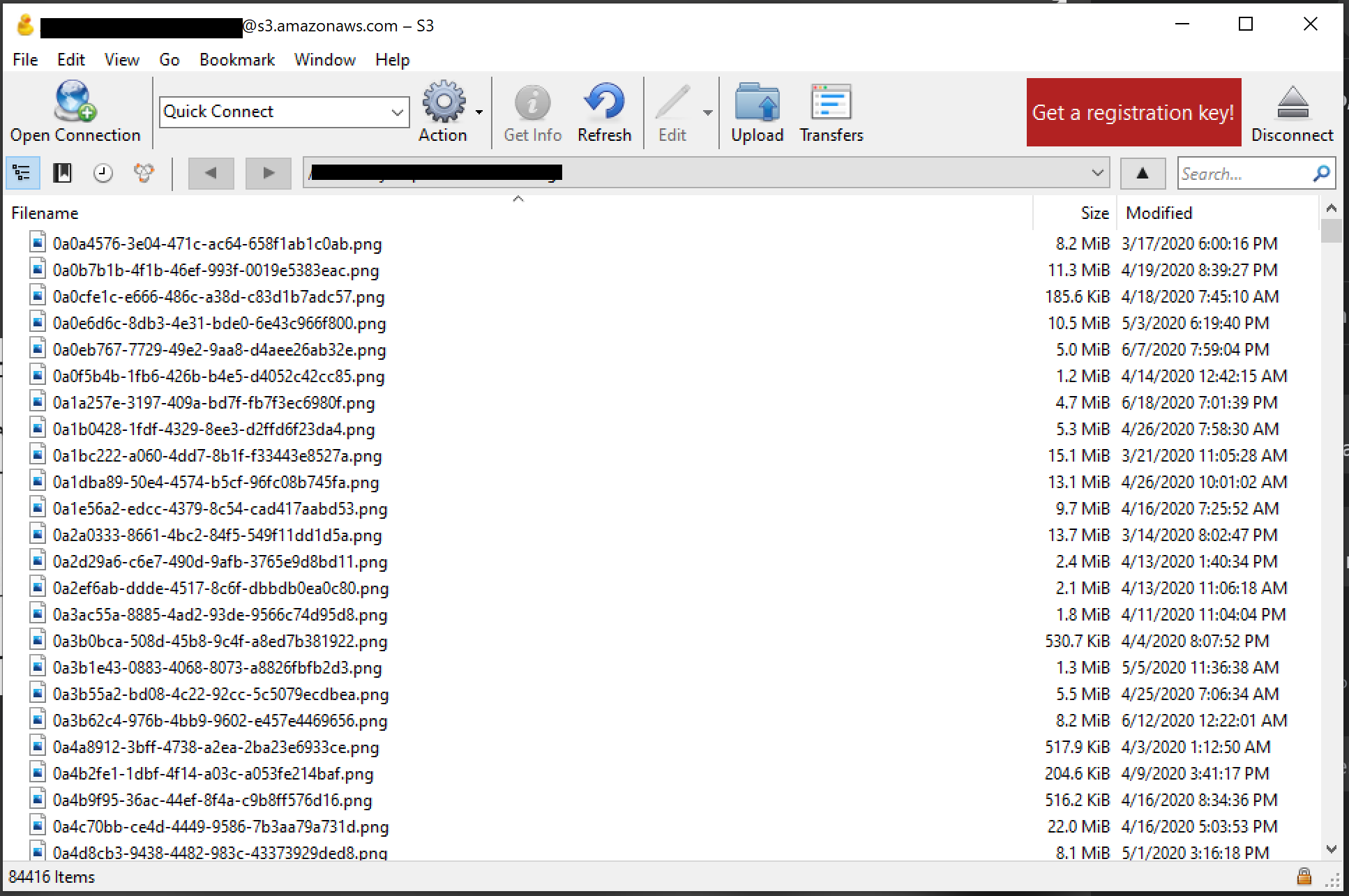
File names
By default, all the production files will have a random GUID as a file name. If you have a Shopify store and are subscribed to one of our unlimited plans, you can have these files automatically renamed after your order number, client's name, etc.